An MBOX file stores a whole mailbox folder as one long text file. EML stores one email per file. Splitting MBOX into EML is useful when you need to attach specific emails to a case, open them in a different program, or keep them as separate records.
Thunderbird can do it for free one folder at a time. For many MBOX files, or when you want sensible file names, a converter is quicker.
01
When EML is the better format
| MBOX | EML |
|---|
| Emails per file | A whole folder | One |
| Opens in | Thunderbird, Apple Mail | Outlook, Thunderbird, Apple Mail, most mail apps |
| Good for | Moving a mailbox between apps | Sharing, evidence, archiving single messages |
| Standard | No single strict standard | Internet Message Format (RFC 5322) |
EML is also the easiest step on the way to other formats. Once you have EML files you can turn them into PDFs or bring them into Outlook.
02
Method 1: Thunderbird with ImportExportTools NG (free)
- Install Thunderbird and the ImportExportTools NG add-on.
- Right-click Local Folders, choose ImportExportTools NG > Import mbox file and select your MBOX.
- Right-click the imported folder and choose ImportExportTools NG > Export all messages in the folder > EML format.
- Pick an empty folder. Thunderbird writes one
.eml file per message.
For a single email, open it and use File > Save As > File, which saves it as EML.
Limits: one folder at a time, and you have to import every MBOX into Thunderbird first.
03
Method 2: Batch convert with MBOX Converter
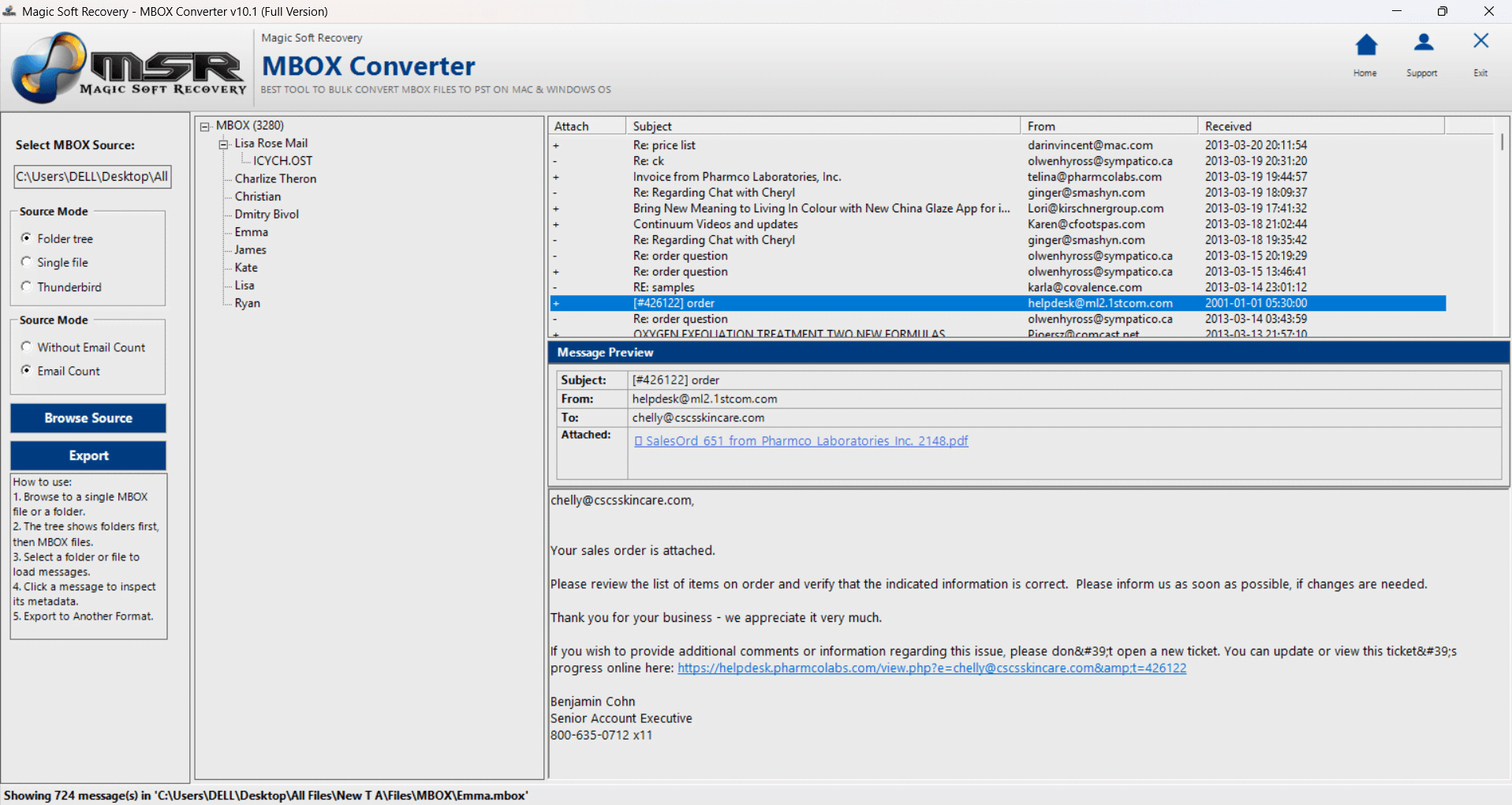
Magic Soft MBOX Converter converts MBOX straight to EML without an email client, and handles many MBOX files in one run.
01Add the MBOX files
Choose Single file, Folder tree or Thunderbird under Source Mode, then browse to the files.
02Preview and select
Check the folders and tick the emails or folders you need.
03Choose EML
Click Export and select EML. Pick a file naming pattern, such as date and subject, so the files sort in order.
04Export
Choose a destination and click Start Export. The folder structure is recreated in the output.
Name files by dateA pattern like 2024-03-14 - Invoice 1182.eml sorts in time order in File Explorer, which helps when you hand the files to someone else.
04
Opening the EML files
Double-click an EML file and Windows opens it in your default mail program, usually Outlook or Thunderbird. On a Mac, Apple Mail opens it. If nothing opens it, see how to open EML files.
Summary
For one or two folders, Thunderbird and ImportExportTools NG do the job for free. For lots of MBOX files, readable file names and the folder tree kept intact, use the converter. Need a spreadsheet instead of files? See exporting MBOX to CSV.