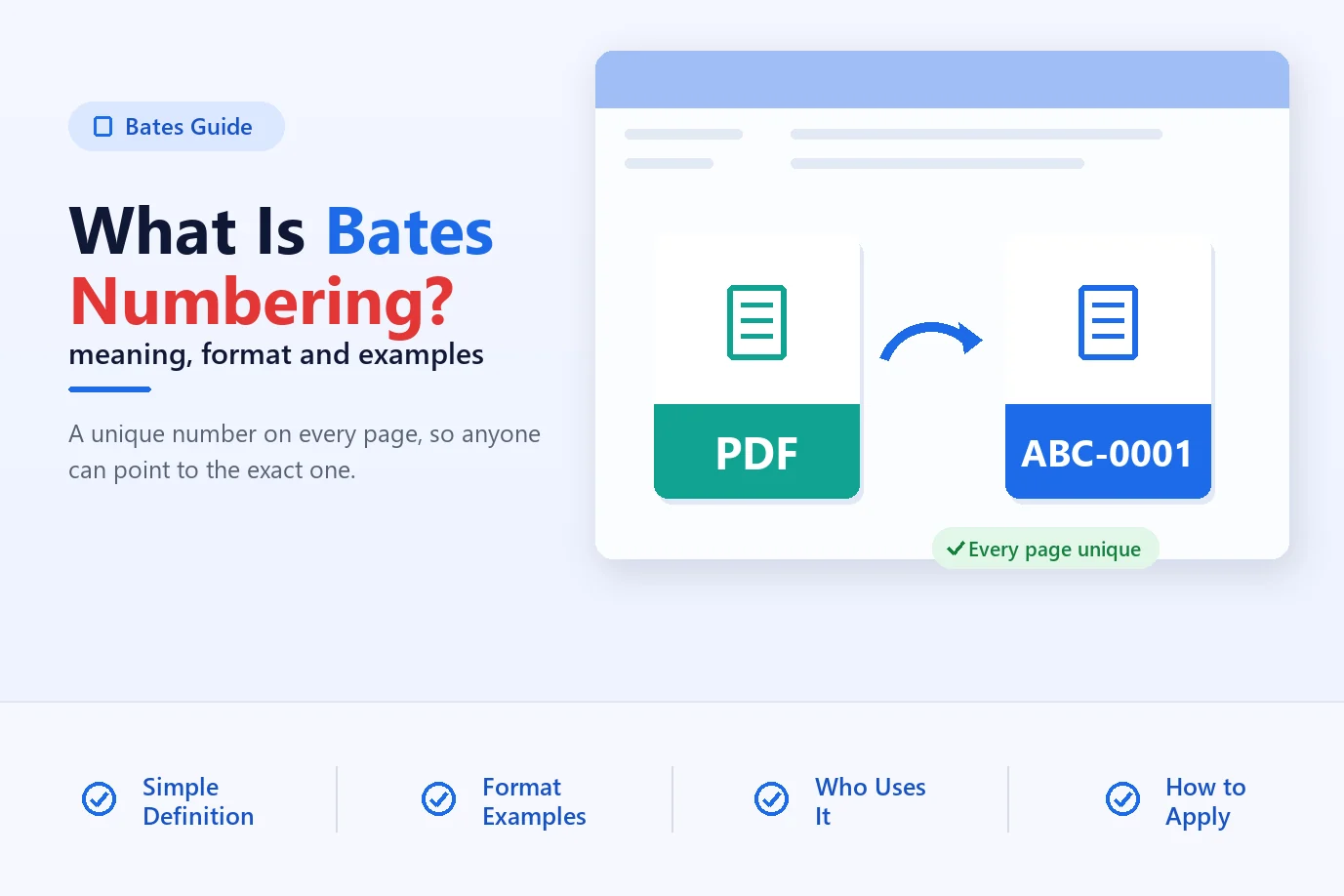
What Is Bates Numbering? Meaning, Format and Examples
Bates numbering gives every page in a document set a unique ID. Learn what it means, how the format works, who uses it and how to apply it to PDFs.
Read guideAdd Bates numbers to hundreds of PDF files in one run, on your own computer
Magic Soft PDF Bates Numberer stamps a unique number on every page of your PDF files, the way law firms, courts and auditors expect. Add a whole folder, type a prefix such as NWHP, and the app shows the first and last number before it writes anything. It works offline on Windows, reads your originals without changing them, and saves numbered copies to a folder you choose, with an Excel or CSV Bates log beside them.
Free demo for Windows 10 and 11. Only one PDF to number? Try the free online Bates numbering tool.
What Magic Soft PDF Bates Numberer does for your documents, from the first file to the Bates log.
Any time a set of documents has to be cited page by page, by you, the other side or the court.
Number thousands of pages for a production in one series that runs across every file. Add the producing party's prefix and a confidentiality notice, then hand over the Bates log as the production index. The pre-run checks catch pages that were already numbered in an earlier production.
01Mark exhibits with one number per file, so every page of Exhibit 4 carries the same number. Or give each document its own series, like ABC001-0001, when each one is cited on its own. Save the setup as a profile and reuse it for the next hearing.
02Give invoices, statements and scanned records a page ID that survives printing and copying. Because the number is drawn into the page, it shows in any PDF reader. Learn more in our guide What is Bates numbering?
03From a solo practice numbering one exhibit to a litigation team preparing a full production.
Prepare productions, exhibits and court filings without Adobe Acrobat. Privileged documents stay on your own computer, and the originals are never touched.
Number a whole folder in one run, keep each client's prefix and placement in its own profile, and carry on from the last number of the previous production.
Stamp large document sets for regulators and opposing counsel, and keep an Excel or CSV Bates log for each production as an audit trail.
Give every page of a statement, invoice batch or scanned archive its own ID, so anyone can cite the exact page during an audit or review.
Batch Bates stamping for any number of PDF files, set up on four screens.
| Numbering Modes | One series across files, a new series for each file (ABC001-0001), or one number per file for exhibits |
| Number Format | Prefix, start number, digits, suffix and step; 1, 2, 3 or I, II, III or A, B, C; custom template |
| Position & Style | Nine positions or drag to any spot; Arial, Times New Roman, Courier New, Verdana, Calibri, Georgia, Tahoma |
| Output | Numbered PDF copies named by Bates range, plus an Excel or CSV Bates log |
How the numbers run across your files, and what else goes on each page.
One series: numbers carry on from one file to the next. Four files of 6, 8, 4 and 5 pages become NWHP000001 to NWHP000023. This is the usual choice for a production.
New series for each file: the file number comes first, then the page number inside that file, so pages read ABC001-0001, ABC001-0002, then ABC002-0001.
One number per file: every page of a file carries the same number, which is how exhibits are usually marked.
Bates number: in any of nine spots, or dragged to the exact place on the preview.
Notice: a disclaimer, case name or firm name, next to the number or in its own corner.
Date: today's date in the format your court or client uses.
Everything you need to Bates stamp PDF files in bulk, without Adobe Acrobat.
Add individual PDFs or a whole folder and number every page in one run. There is no limit on files or pages in the full version.
One series across all files, a new series for each file (ABC001-0001), or one number per file for exhibits.
Set the prefix, start number, digits, suffix and step. The first and last number update as you type.
See the number on the real page before you commit. Flip through pages and files with the arrows.
Pick a corner, an edge or the centre, or drag the number to an exact spot and nudge it with the arrow keys.
Seven fonts, any size and colour, bold or italic. A white box keeps the number readable on scanned or dark pages.
Add “Confidential”, a case name or your firm’s name, plus today’s date, next to the number or in its own spot.
Flags pages that may already carry Bates numbers, numbers that would be used twice and files that need a password.
Open locked files with their password, then keep, remove or set new AES 256-bit protection with print, copy and edit rights.
A list of every file with its page count, first and last Bates number and new file name, ready for a production index.
Save every setting under a client or matter name. Continue from last time starts after your last number with that prefix.
Everything runs on your own PC. Nothing is uploaded, and numbered copies go to a new folder while the originals stay as they were.

Four steps in the real app. Click a step to see its screen, or read the full step-by-step guide.
Drop PDFs onto the window or choose a folder. Set the order by name, by date or by dragging, and pick how numbers run across files.
Type the prefix, start number, digits and suffix. The card on the right shows the first number, the last number and the page count.
Pick one of nine positions or drag the number on the page preview. Choose font, size and colour, the pages to number and an optional notice.
Choose file names, password protection and a Bates log. Click Check files first, then Number to stamp every page.
See every file with its Bates range and new name. Open the folder, print the numbered files or open the Bates log.
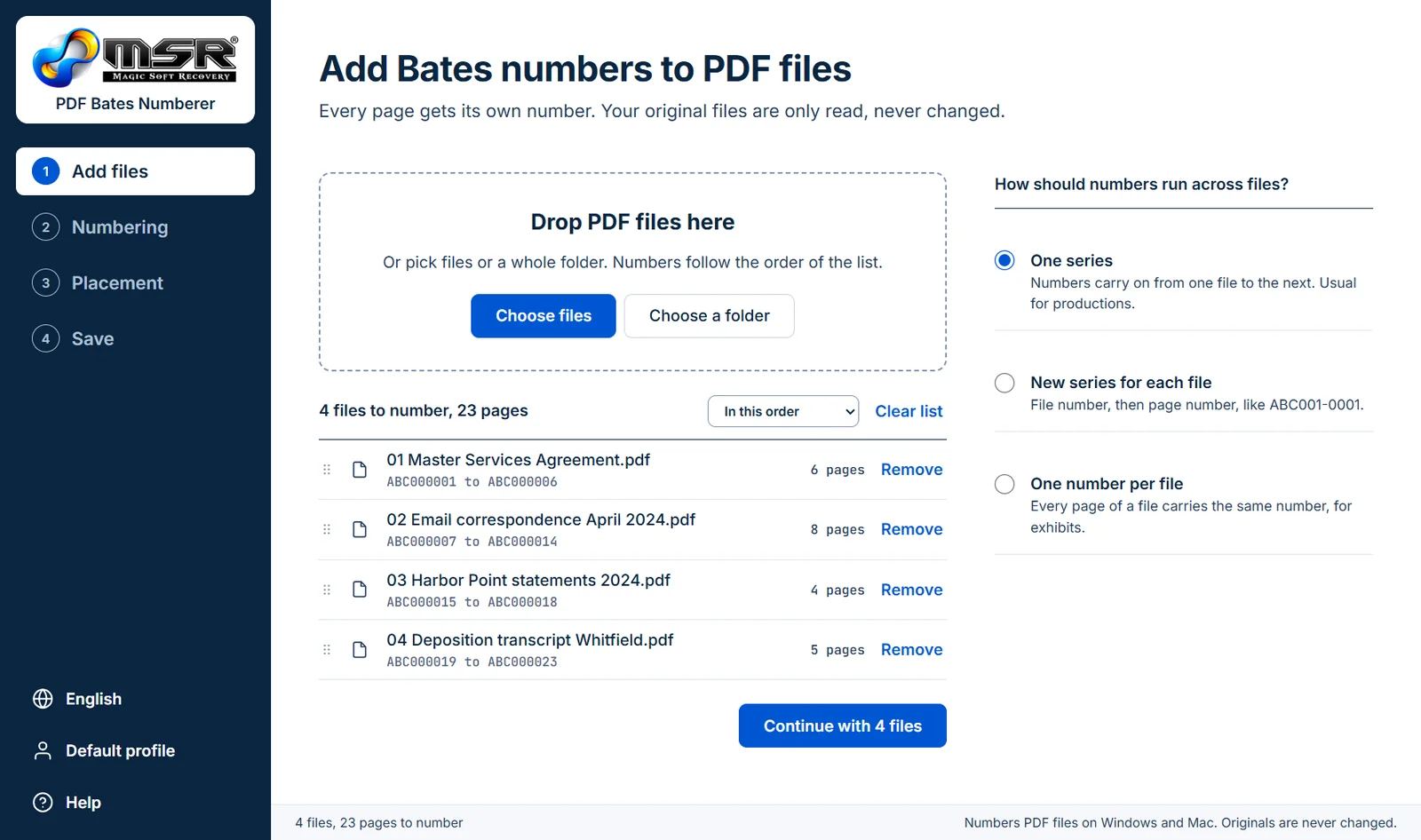
A narrated walkthrough, recorded in the real app: four case files and 23 pages, from choosing the folder to the finished results.
PDF Bates Numbering software specifications and system requirements
| Product : | Magic Soft PDF Bates Numberer |
| Version : | 5.1 |
| Download Size : | About 63 MB (MSIX installer) |
| License : | Personal $99, Business $199, Enterprise $399 (one-time, 12 months of updates) |
| Languages : | English, German, French, Italian, Spanish, Japanese |
| Supported Windows OS : | Windows 11 and Windows 10 (version 1809 or later), 64-bit |
| Internet : | Not needed to number files |
| Input : | PDF files and folders, including password-protected PDFs |
| Output : | Numbered PDF copies, Excel (.xlsx) or CSV Bates log |
| Adobe Acrobat : | Not required |
| Compatible Mac : | Windows only at the moment, Mac launching soon |
The free demo includes every feature and has no file or page limit. It adds a Magic Soft watermark to the numbered files, so you can test the whole job on your own PDFs before you buy.
The demo is an MSIX package, which Windows 10 and 11 install with the App Installer. Double-click the file and click Install. If Windows says App Installer is missing, get it free from the Microsoft Store and try again.
Download the installer only from magicsoftrecovery.com and keep your antivirus switched on. If a warning appears, contact [email protected] and our team will help. Your IT administrator can approve the app if company policy requires it.
Click Check files first on the Save screen: it tells you if the output folder cannot be written to. Choose a folder on your own computer rather than a shared network drive, and close any numbered file that is open in a PDF reader before you run the job again.
Test every feature on your own files first. The only difference is the watermark.
| Product Features | Demo Version | Full Version |
|---|---|---|
| Bates number PDF files and folders in bulk | ✔ | ✔ |
| Prefix, suffix, digits, step and template | ✔ | ✔ |
| Nine positions and live page preview | ✔ | ✔ |
| Notice, date and page ranges | ✔ | ✔ |
| Password-protected PDFs | ✔ | ✔ |
| Checks before numbering and Bates log | ✔ | ✔ |
| Watermark on numbered files | Yes | No watermark |
| Price | Free | From $99, one-time |
Step-by-step answers to the problems people bring to this tool, with free methods where they exist.
Bates numbering gives every page in a document set a unique ID. Learn what it means, how the format works, who uses it and how to apply it to PDFs.
Read guideAdd Bates numbers to PDF files with a free online tool, Adobe Acrobat Pro, or offline batch software. Step-by-step instructions and a comparison.
Read guideBates number a whole folder of PDFs in one run. Plan the order and start number, stamp in batch, keep a CSV log, and avoid gaps and duplicate numbers.
Read guideHow to format Bates numbers: choosing a prefix, digit padding, suffixes and stamp position, with real examples and the mistakes to avoid.
Read guideAnswers to what people ask before they Bates number their PDF files.
A Bates number is a unique ID stamped on every page of a document set, usually a short prefix followed by a padded number such as NWHP000001. Lawyers use it so everyone in a case can point to the exact same page. Our guide What is Bates numbering? covers the format in more detail.
No. It numbers files on your own computer and needs no internet connection to do it, so privileged and confidential documents never leave the machine.
Yes. Choose a folder and every PDF in it is added. Numbers follow the order of the list, which you can sort by name or date modified, or rearrange by dragging. There is no limit on the number of files.
Turn on Continue from last time. The app remembers the last number it used with each prefix and starts at the next one. You can also type any start number yourself.
Yes. Choose New series for each file and numbers come out as file number then page number, like ABC001-0001. For exhibits, One number per file puts the same number on every page of a file.
In any of nine positions: the four corners, the middle of each edge, or the centre. You can also drag it to an exact spot on the page preview and nudge it with the arrow keys. Margins are set in millimetres.
Click Check files first before you run the job. The app flags pages that may already be numbered, numbers that would be used twice and files that need a password. Each warning has a Show page button so you can look at the page.
Yes. Enter the password when asked. It is used only for that job and is never saved, and you can try the same password on every other locked file. For the numbered copies you can keep the protection, remove it, or set a new AES 256-bit password.
No. Numbered copies are saved to a folder you choose. The files you added are only read.
Yes. A notice line can sit next to the Bates number or in its own position on the page, and today’s date can be added in the format you pick.
Yes. Tick Save a Bates log and the app writes an Excel or CSV file listing every file with its page count and its first and last number.
The demo has every feature but puts a Magic Soft watermark on the numbered files. The full version has no watermark.
It runs on Windows 10 (version 1809 or later) and Windows 11 today. A Mac version is in development and coming soon.
It is a one-time payment. Personal is $99 for one computer, Business is $199 for up to 100 computers and Enterprise is $399 for up to 500. Special Bundles cover 200 computers for $299 and 700 computers for $559. Every licence includes 12 months of updates, and the software keeps working on the versions released in that time.
Yes. The free online Bates numbering tool numbers one PDF at a time in your browser, at the top or bottom of the page. It is free and nothing is uploaded.
A full job, screen by screen
Four PDFs in numbering order, each with its Bates range
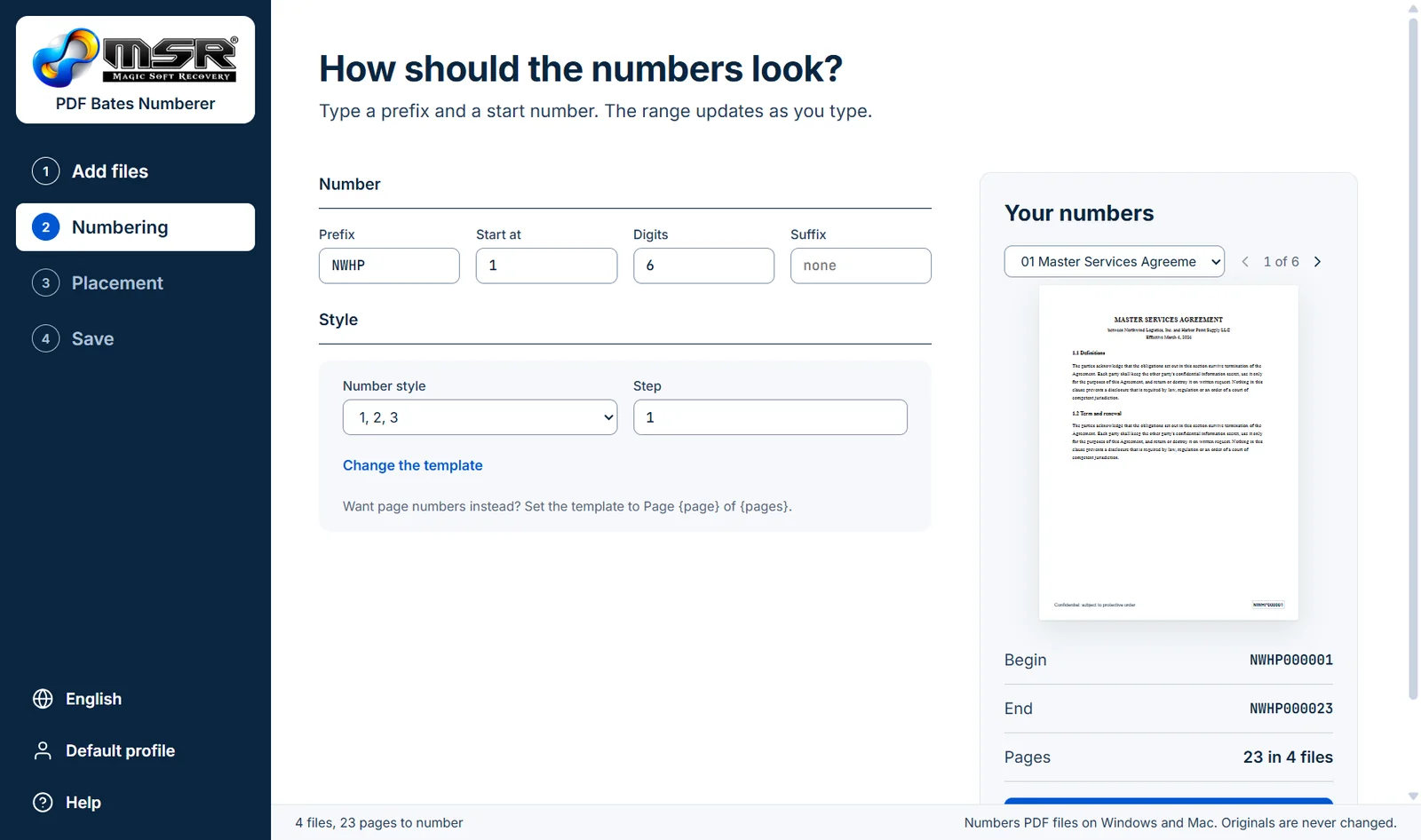
Prefix NWHP, start at 1, six digits: NWHP000001 to NWHP000023
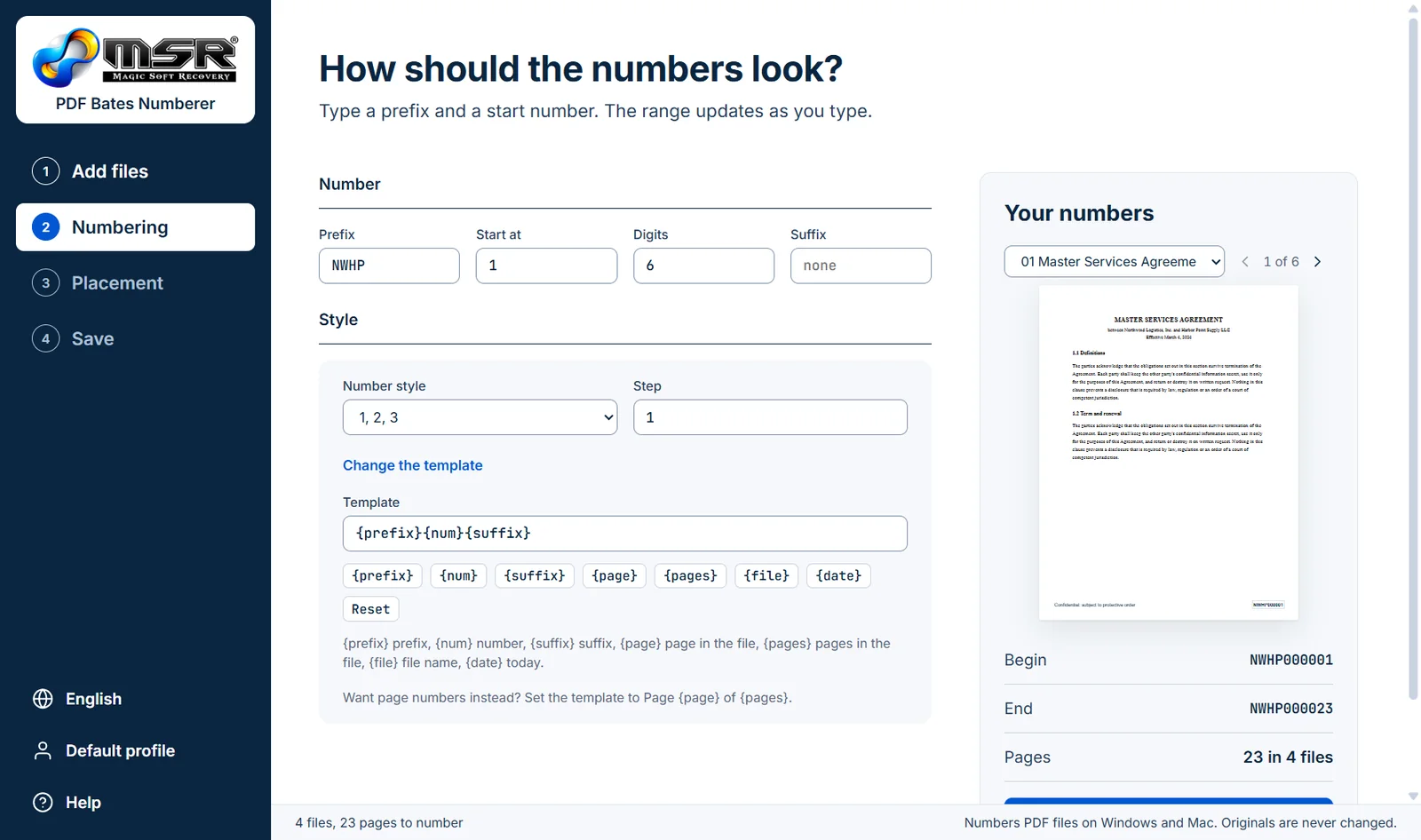
Edit the template with prefix, number, page, file and date fields
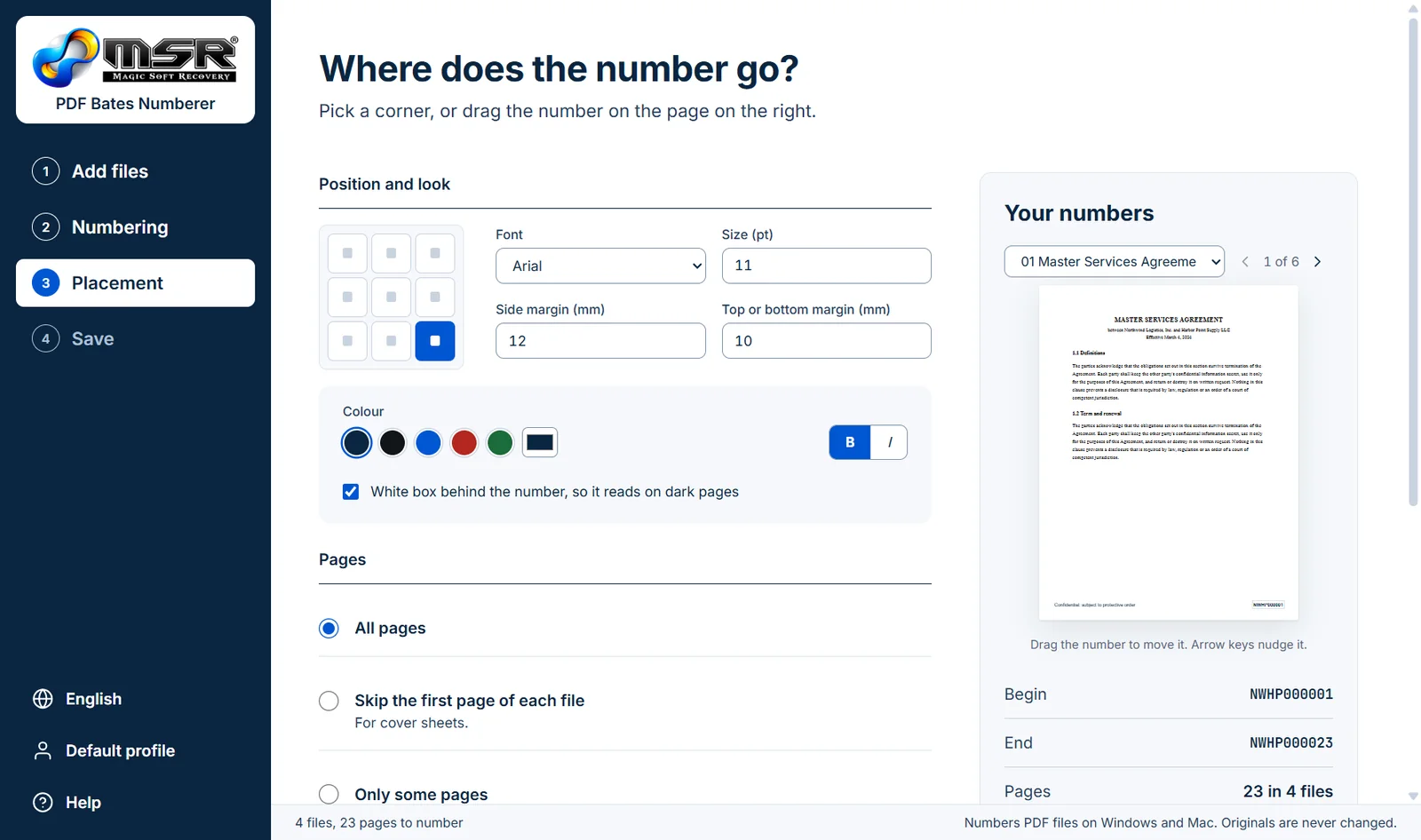
Nine positions, font, size, margins and colour, with a live page preview
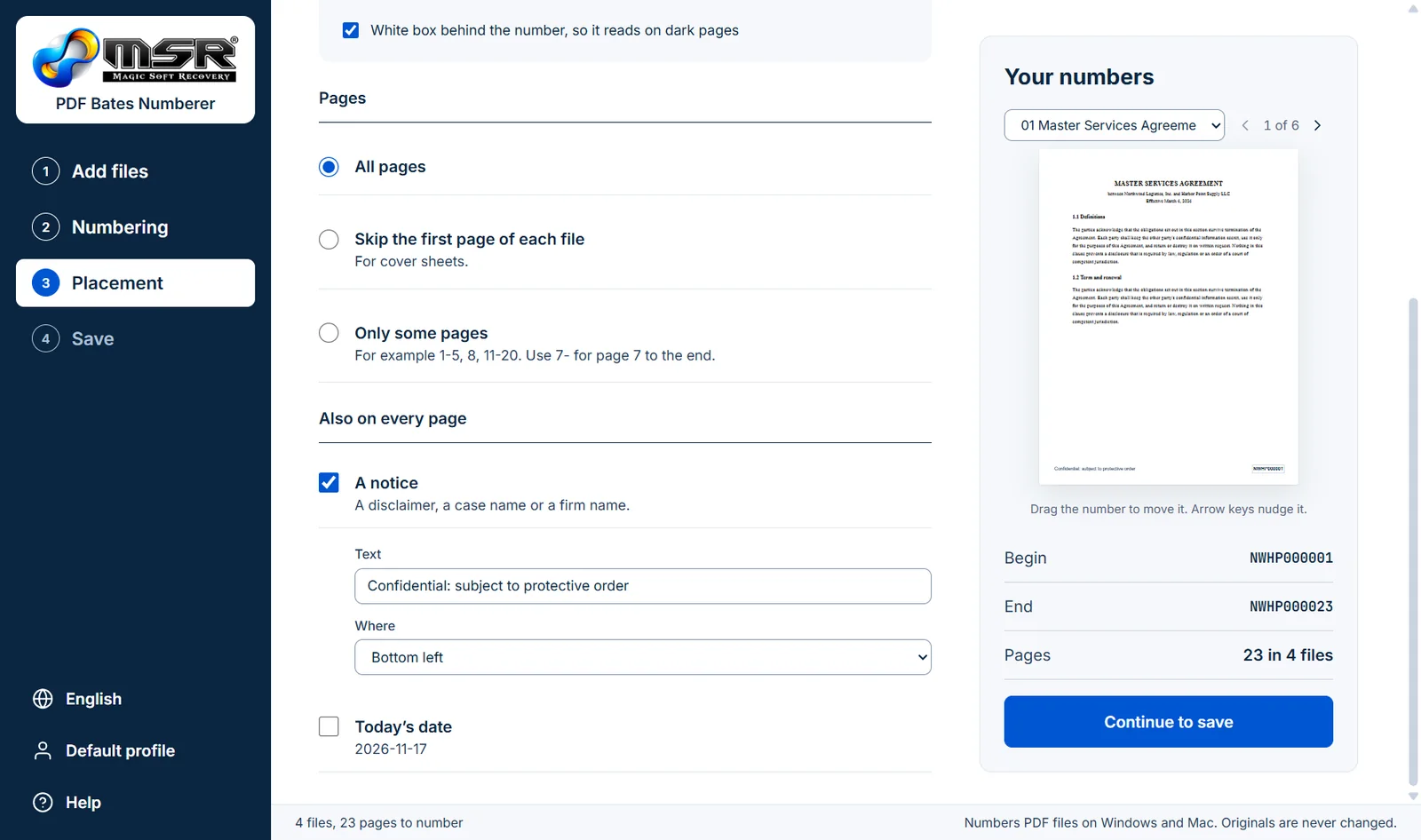
Choose pages and add a confidentiality notice or the date
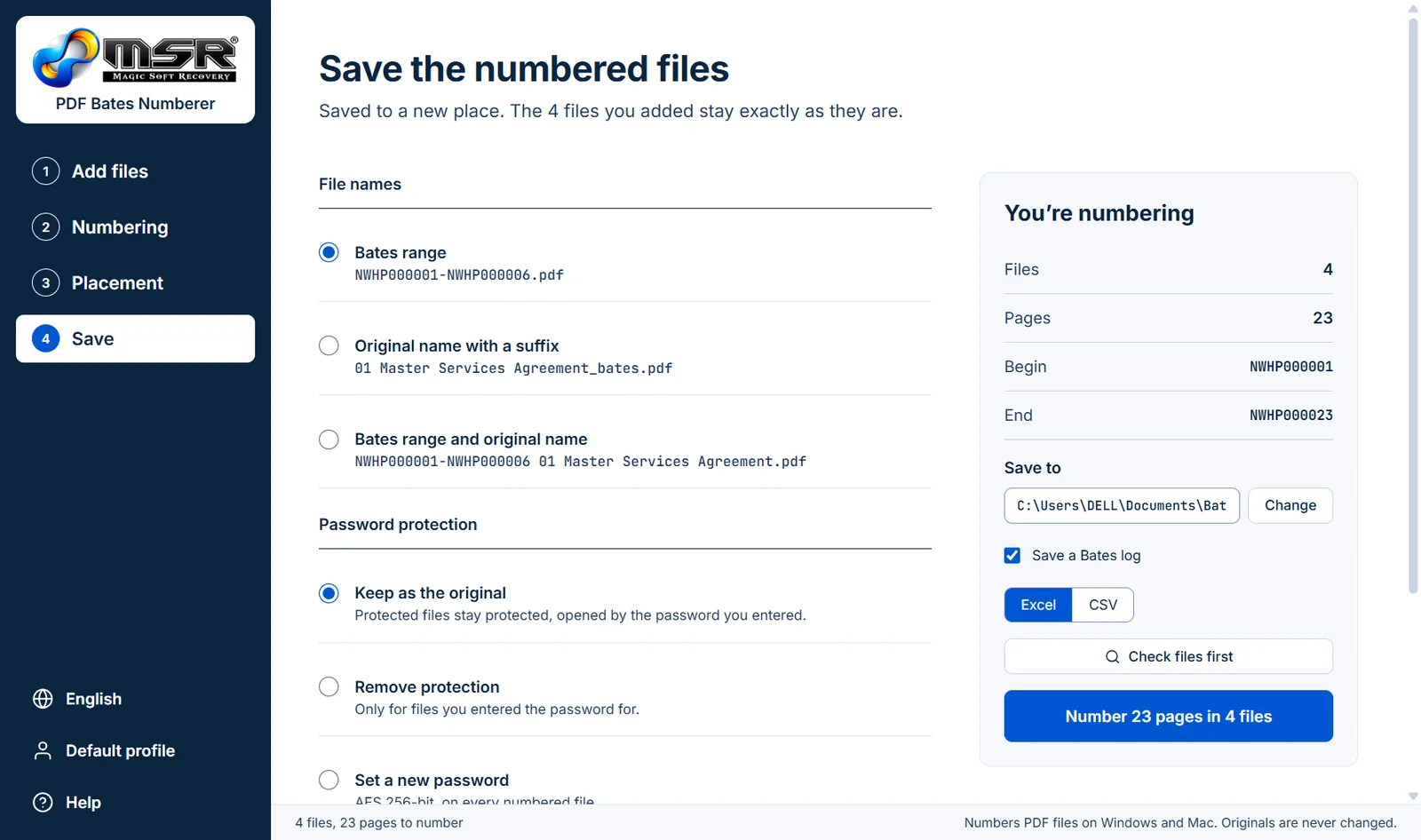
File names, password protection, output folder and Bates log
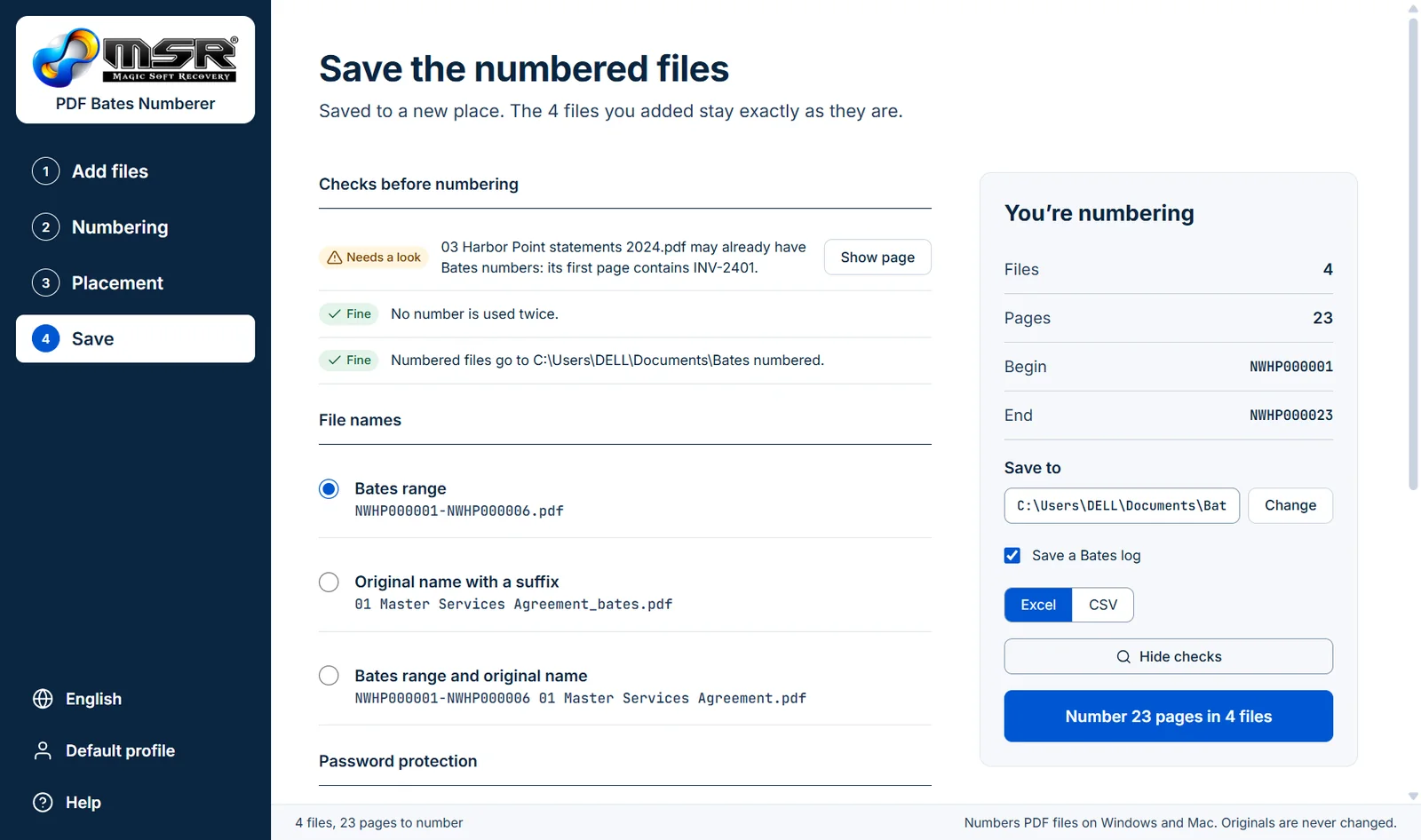
Warnings for existing Bates numbers, duplicates and locked files
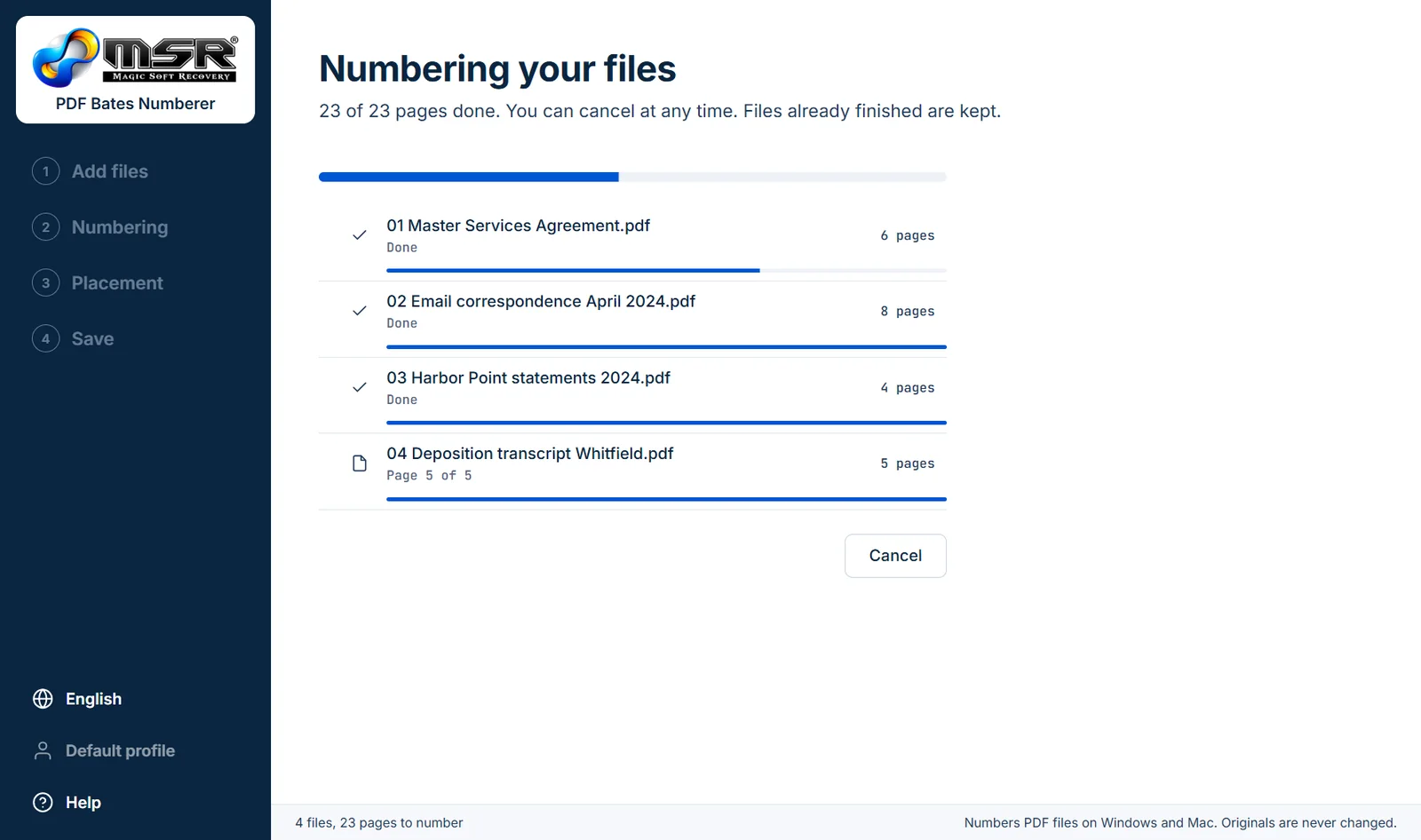
Progress for each file; cancel at any time
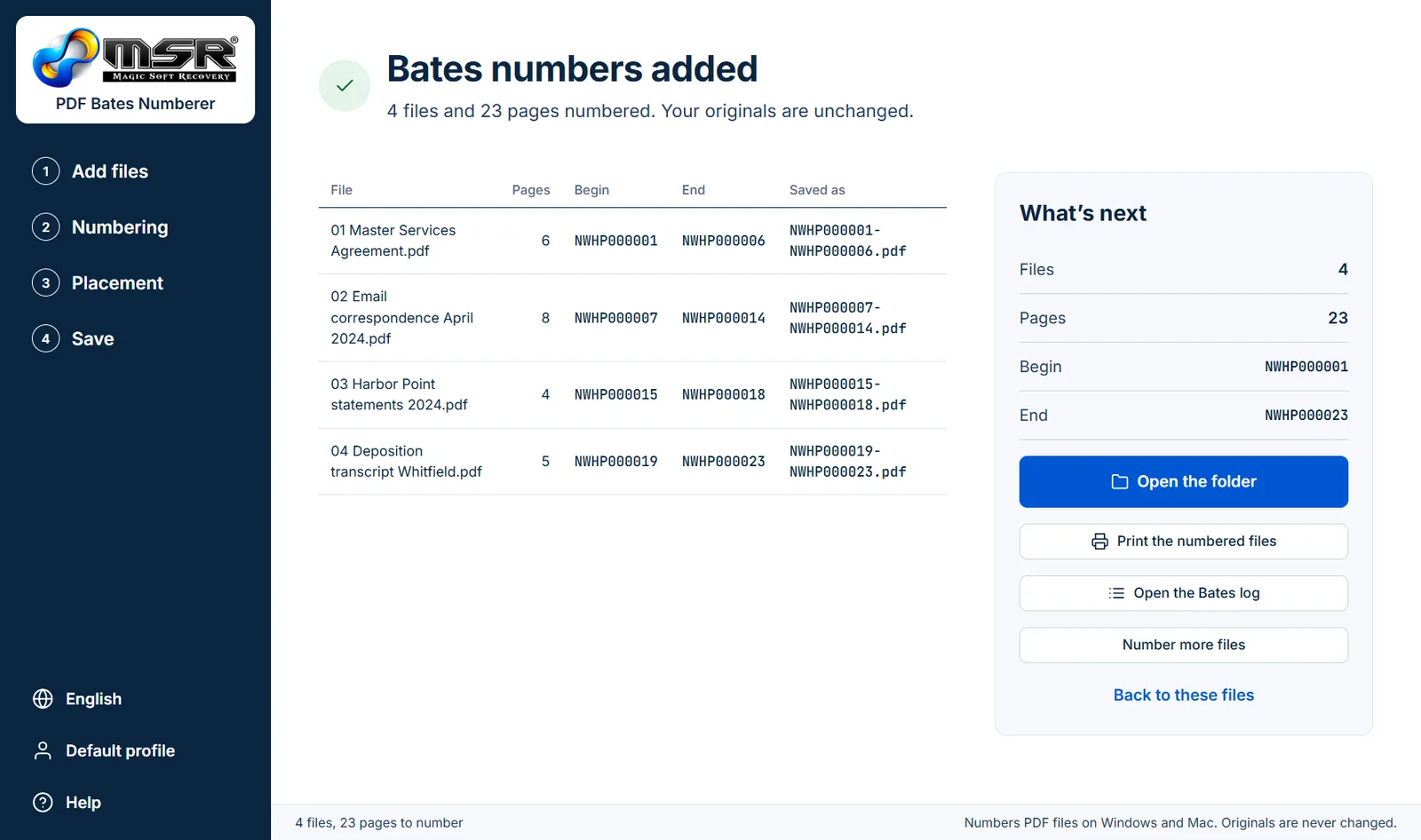
Every file with its pages, first and last number and new name
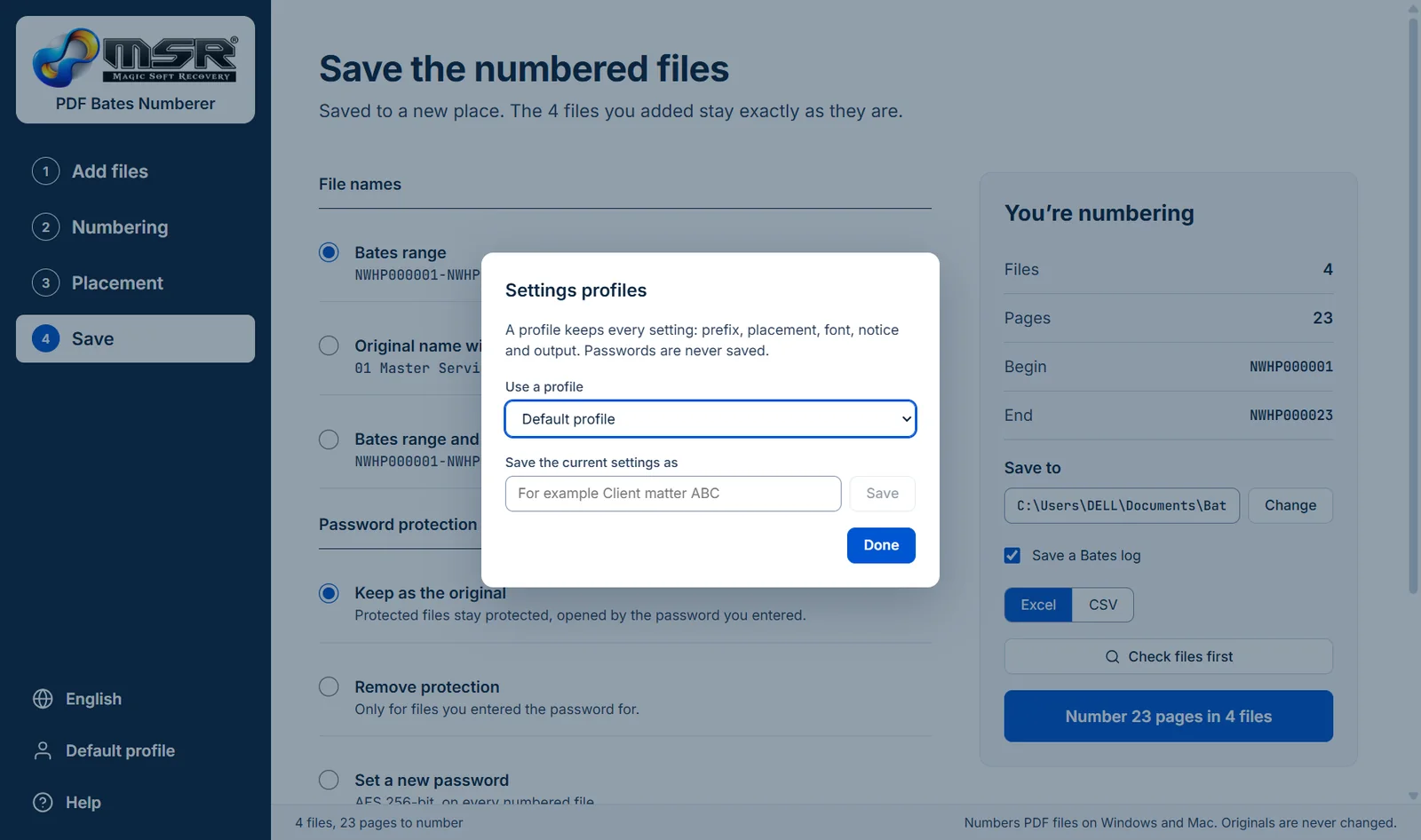
Save every setting under a client or matter name
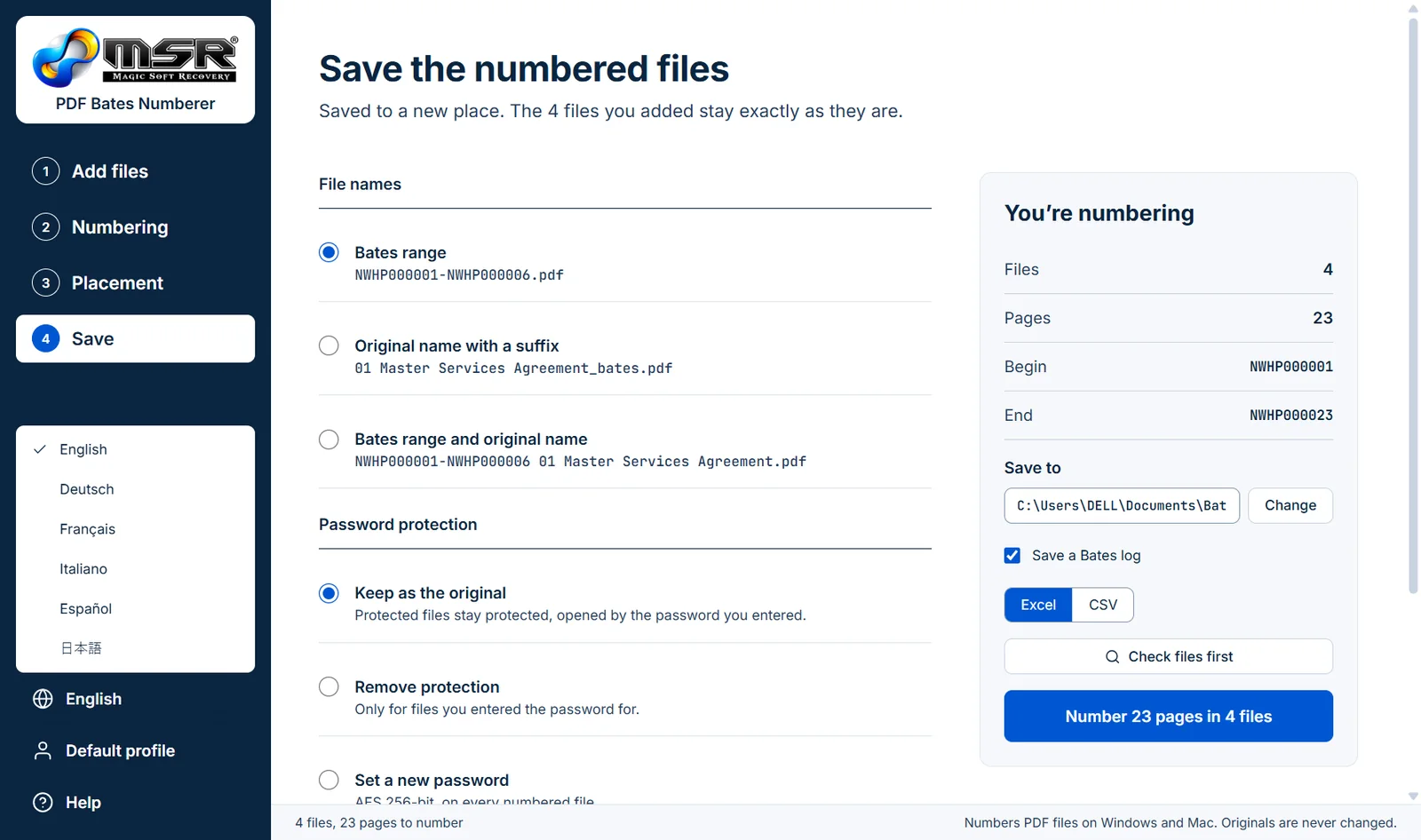
English, Deutsch, Français, Italiano, Español and 日本語
A complete Bates numbering job in the real app