
Home > Products > MBOX Converter

Magic Soft MBOX Converter Tool

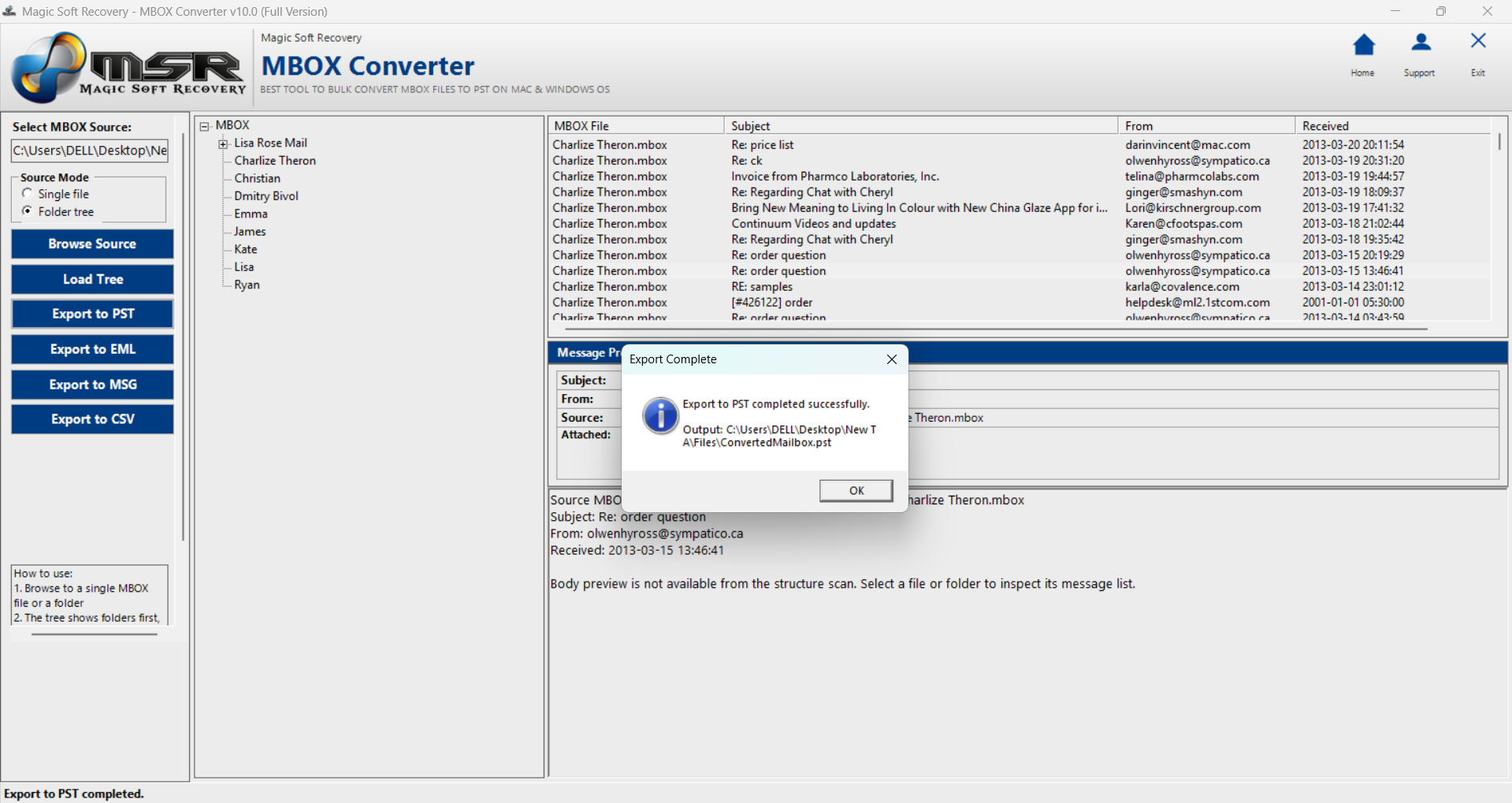
  • It allows you take an MBOX file and smoothly convert it into Outlook PST, EML/MSG files, or even a clean CSV for data analysis.
  • The software lets you dump an entire folder full of MBOX files into the queue and converts them all in one single batch.
  • It doesn't just migrate the emails data. The software preserve all attachments—whether they are PDFs, images, or documents—and keeps them linked to their original email messages.
  • It save the emails properties too while converting meta-data information. The "To," "From," "Bcc," "Cc," timestamps, and subject lines remain completely unchaged.
  • It supports all version of Windows and seamlessly supports MBOX files generated by over 20 different email clients & Google takeout/Horde webmail, including Entourage, Eudora, and SeaMonkey.
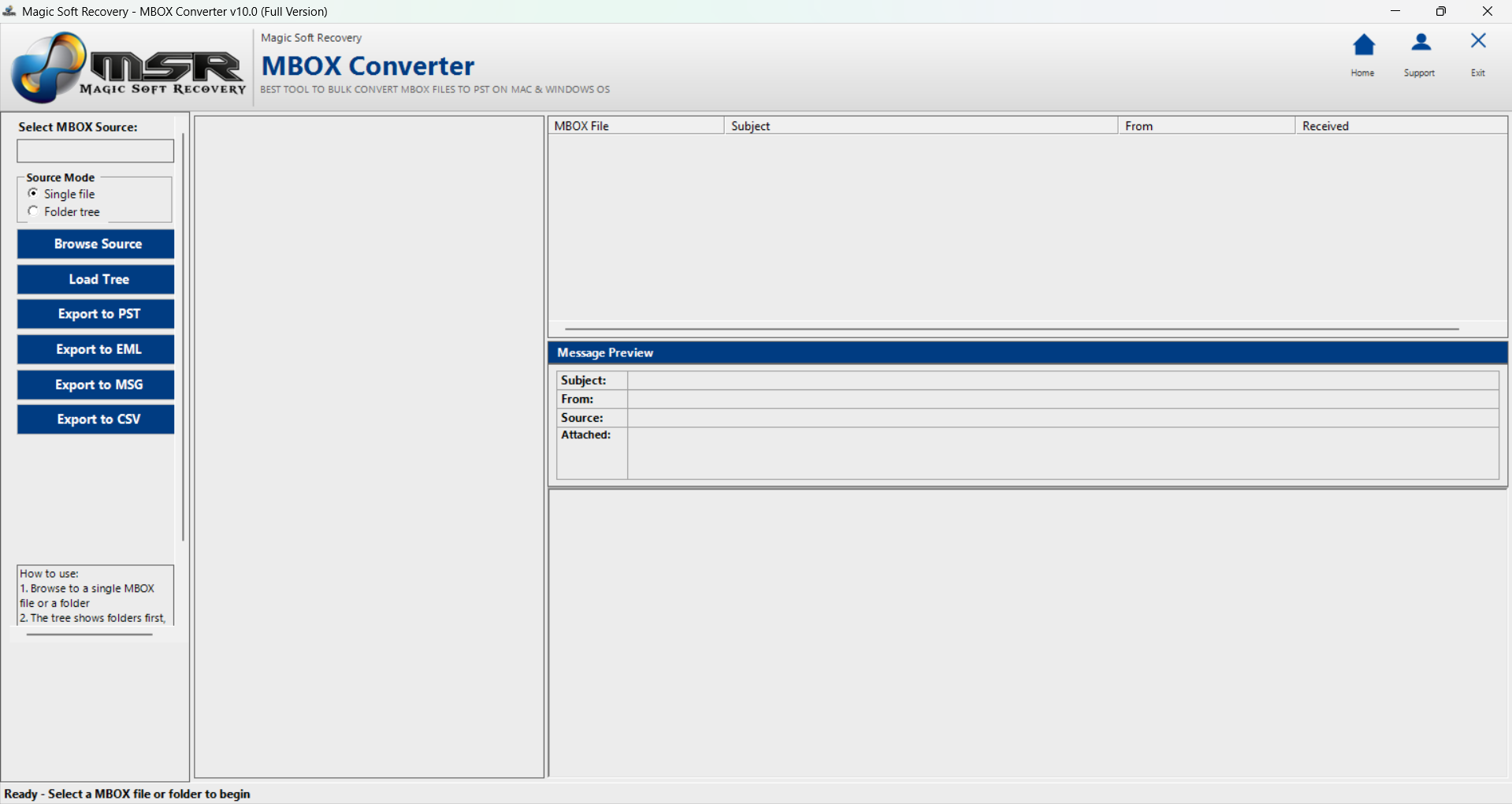
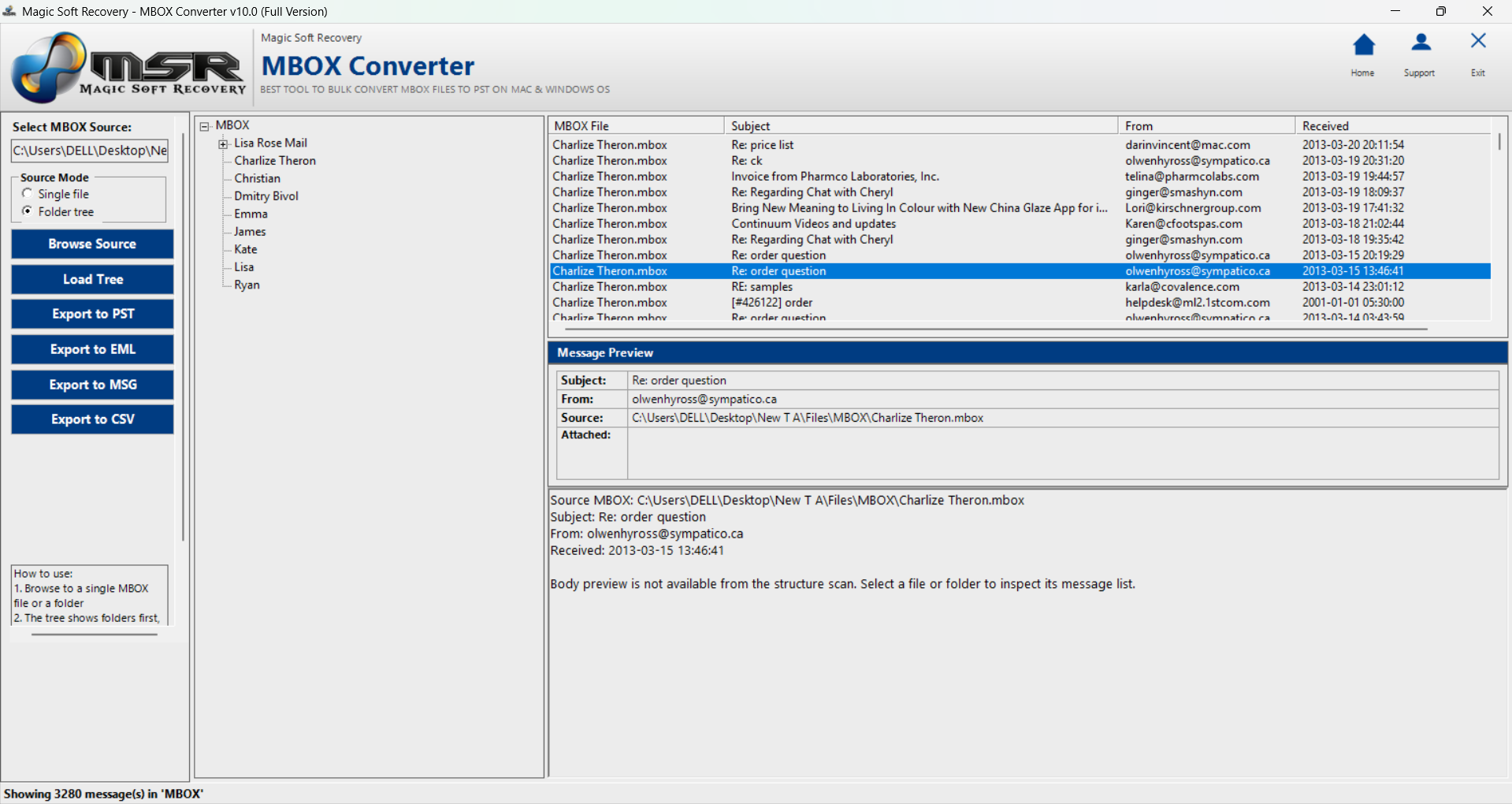
  • Before you start the exporting process, the tool generates a preview of the emails inside the MBOX file. This gives you a quick review to double-check that you've imported the correct data.
  • The tool doesn't require any special, meaning you don't need to have Microsoft Outlook, Thunderbird, or any other email client installed on your computer to perform the conversion.
  • One click Single Tool to Load & analysis mbox file data.

What is the advantage of Magic Soft MBOX to PST Converter?

The MBOX to PST Converter Software is a powerful utility aimed to fulfill the gap between different email clients and webmail like Google takeout /Horde webmail. Since MBOX is a generic/standard mailbox format used largely by legacy clients like Mozilla Thunderbird, Apple Mail, and Opera Mail, Eudora, Entourage it is naturally incompatible with Microsoft Outlook. This software offers that capability by scanning MBOX files and accurately converting them into Outlook PST files, and also supported EML/MSG formats, or even in CSV files which can use for data analysis. Its main goal is to simplify email conversion for users switching email clients, restoring old consolidating backups or want to export data from Gmail/Google workspace to local computer.

Why you discard MBOX format?

MBOX files lack encryption, corrupt easily, and become sluggish when single-file sizes get too large as it does not supported by many clients when gets oversized. it easily becomes inaccessible and unusable to after file corruption. A risk losing access to the entire mailbox also takes a massive hit as the file grows, leading to slow-moving search times and frequent email client and supported application crashes. Furthermore, MBOX lacks flexibility; you cannot easily convert a single email or attachment without parsing the entire mbox file, making data loss without any prior notice.

Features that make MBOX-Email-Converter seamless, safe, and efficient

  • Universal Format Flexibility It easily turns orphan & corrupt MBOX data into accessible PST, EML, MSG, or CSV formats.
  • Advanced Bulk Processing It converts hundreds of MBOX files simultaneously to save hours of manual task.
  • Preserve original Metadata Inforamtion : Key details like To, From, CC, BCC, and exact timestamps stay completely unaltered.
  • Embedded Attachment Integrity All embedded images, documents, and hyperlinks, & pdf are safely transferred alongside the text.
  • Intact Folder Hierarchy The original structure of your folders and subfolders remains perfectly maintain in post-conversion formats.
  • Instant MBOX Preview After browsing the mbox files you can instantly load preview of mbox files to check the emails content.
  • Deep Cross-Platform Compatibility The tool seamlessly reads MBOX files generated by over 20 different email clients & Google takeout/Horde webmail.
  • Flawless Data Integrity It retains and maintain the exact original formatting of your emails, from rich text and HTML, inline images and hyperlinked text.
  • Zero Data Loss Guarantee It advances secure protocols prevent any file modification or data loss corruption, leaving your source MBOX files completely untouched.
  • 100% Secure Conversion The software operates entirely offline, ensuring your sensitive email data is never shared, connected or leaked during processing.

Key Specification of MBOX to Outlook Conversion Tool -

icon

Convert All Items of MBOX File

It converts all data and keep the information in safe like emails, attachments, and internal labels. It maintains the folder/subfolders email structure and keeps the information of meta-data, header details, inline images, and hyperlink information intact, maintaining total data integrity in the output folders.


icon

Conversion of 20+ Email Clients and Google Takeout MBOX

It supports all variants of the MBOX file format, whether generated by Mozilla Thunderbird, Apple Mail, Google Takeout, Eudora, or Entourage. It handles all types of MBOX extensions—including large Google Takeout MBOX files—without any data limit. You don't need to install any email client or extra application to access your MBOX data.

icon

Support Unlimited Size of MBOX File

This MBOX Conversion program ensures you that you can convert any size of MBOX file with this application. It can manage any large, oversized size of MBOX while maintaining advanced software encoding programmatically. It is specifically designed to process massive MBOX files which might otherwise crash your email clients or become sluggish due to size constraints./p>

icon

MBOX File Preview Prior to Conversion

This is the most prominent feature of our tool which allows users to preview local Google Takeout data and standard MBOX files before converting them to multiple formats. Users can verify the data, check its structural properties, and then mark their desired conversion.

icon

Multiple MBOX file Email Conversion

Users no longer need separate, specialized tools since this software natively handles the most widely used email file extensions. As the best-noted feature of our tool, it seamlessly converts your MBOX data into Outlook PST, EML, MSG, and CSV formats. Every essential migration option you could ever need is packed right inside this single, comprehensive conversion tool.

icon

Prevent data loss from oversized MBOX file

The tool features advanced scanning algorithms that repair and recover data from severely corrupted, damaged, or bloated MBOX files without losing any emails. It runs seamlessly on all major versions of the Windows operating system, offering complete compatibility with Windows 11, 10, 8, and 7.

How Magic Soft Recovery Works

Screenshots and Videos

  • Step 1
  • Step 2
  • Step 3

MBOX to PST File Converter Tool System Overview

  • Windows OS : Windows 11, 10, 8.1, 8.0, 7, Vista, XP or any below version (32-bit or 64-bit)
  • Processor :Intel 1 GHz Processor (2.4 GHz is recommended)
  • RAM : 2 GB (4 GB is recommended)
  • Disk Space : Around 200 MB free space for installation
  • No special package Required.
  • Using Window 11/10/8.1/8/7 or Vista, please launch software as "Run as Administrator".
  • Microsoft Windows Win11/10/8.1/8/7/Vista (32-bit & 64-bit), XP, 2000, 2003, 98, NT
  • MS Outlook Microsoft 365, 2019, 2016, 2013, 2010, 2007, 2003, 2002, 2000, 98, and 97.
Free Demo Software Limitations

The Trial version of MBOX PST Converter utility operate like Full featured but only convert 10 emails per mbox to PST/EML/MSG/CSV format. You can preview all items of MBOX and use demo without any expiry.

Magic Soft Recovery Detail Image

Frequently Asked Question